
Publishing blog posts every week doesn’t automatically create a successful content strategy. You might have dozens of articles bringing visitors to your website, yet those visitors leave without exploring your services, downloading a resource, or taking the next step.
The problem often isn’t the quality of individual articles. It’s the missing connection between them.
A blog post might answer a specific question, while a detailed guide explains the entire process behind that question. When those resources work together, readers can move from finding a quick answer to understanding a topic and eventually making an informed decision.
To integrate blogs and guides into a content strategy, organize them around shared topics, assign each piece a clear search intent, connect related pages through internal links, and measure how readers move between them.
This article walks through that process, including how to choose topics, build content clusters, structure internal links, plan a publishing calendar, and turn educational content into measurable business opportunities.
What Does Integrating Blogs and Guides Into a Content Strategy Mean?
Integrating blogs and guides means creating a connected content system where individual blog posts address specific questions and comprehensive guides provide broader explanations.
Instead of publishing unrelated articles, every piece contributes to a defined subject area and helps readers find the information they need next.
Consider an SEO agency targeting business owners who want to improve their organic visibility.
The agency might publish a comprehensive guide titled “The Complete SEO Strategy for Small Businesses.”
It could then support that guide with individual blog posts covering:
- How to find keywords for a small business website
- How to optimize service pages for local searches
- How to fix common on-page SEO mistakes
- How to measure organic traffic and conversions
Each article solves a distinct problem. The main guide connects those problems into a complete strategy.
Readers arriving through a specific blog post can follow a contextual link to the broader guide. Visitors reading the guide can explore supporting articles when they need detailed instructions.
This approach creates a more useful browsing experience and gives search engines clearer signals about how related pages fit together.
The objective isn’t to produce the largest possible content library. It’s to create a library where every page has a purpose.
Blogs vs. Guides: Understanding Their Roles in Content Marketing
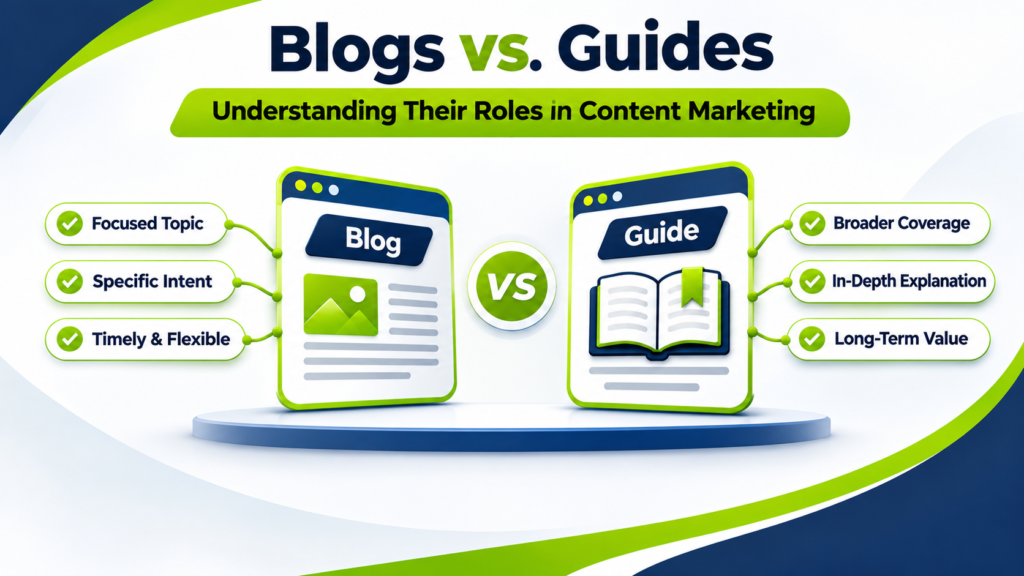
Blogs and guides can cover similar subjects, but they usually serve different reader needs.
A blog post typically focuses on one question, challenge, or timely development. A guide covers a broader subject and connects multiple steps, concepts, or decisions.
| Feature | Blog Posts | Comprehensive Guides |
| Primary purpose | Answer a specific question | Explain a broader topic or process |
| Search intent | Often narrow and informational | Often broad, educational, or evaluative |
| Typical scope | One focused problem | Multiple connected problems |
| Keyword targeting | Specific or long-tail queries | Broad topics and related keyword groups |
| Updates | Based on relevance and changes | Periodic review of the complete topic |
| Internal linking | Links to the main guide and related articles | Links to supporting articles and resources |
| Conversion role | Introduces a relevant next step | Supports deeper evaluation and decision-making |
These differences aren’t strict rules. A blog post can be extensive, and a guide can target a highly specific query.
What matters is whether the format matches the reader’s expectations.
Someone searching for “how to write an SEO title tag” probably wants a focused explanation with examples.
Someone searching for “complete on-page SEO guide” likely expects a broader resource covering title tags, headings, content optimization, URLs, internal links, and other relevant elements.
Trying to satisfy both searches with one unfocused article can make the experience less useful.
Why Should You Integrate Blogs and Guides Into Your Content Strategy?
A connected content system can improve how people discover, understand, and navigate your website.
1. Build Topical Coverage Without Publishing Repetitive Content
Imagine publishing five articles that all explain the basics of keyword research.
Even if each article has a slightly different title, the pages may overlap heavily. Readers struggle to understand which resource they should use, and your editorial team spends time repeating the same information.
A better approach is to create one main keyword research guide and several supporting articles addressing distinct questions.
For example:
Main guide: Keyword Research for SEO: A Complete Process
Supporting articles:
- How to identify long-tail keywords
- How to analyze keyword search intent
- How to organize keywords into topic clusters
- How to prioritize keywords for service pages
This structure lets you cover a subject in depth without making every page compete for exactly the same purpose.
2. Create Clearer Internal Linking Paths
Internal links should help readers continue learning, not simply increase the number of links on a page.
A visitor reading about keyword research may need help understanding search intent. A contextual link to a dedicated search-intent article makes sense at that point.
Similarly, a detailed guide can direct readers to supporting tutorials rather than repeating every explanation.
A planned internal linking and on-page SEO approach helps connect these resources while keeping navigation relevant.
3. Support Different Stages of the Buyer Journey
Not every visitor is ready to hire an agency or purchase a service.
Some people are still identifying a problem. Others are comparing solutions. A smaller group is ready to contact a provider.
Blogs and guides can support these different needs.
A business owner might initially search for “why is my website traffic dropping?”
After reading a troubleshooting article, they may want a broader technical SEO guide.
Once they understand the possible causes, they might consider requesting an SEO audit.
The content creates a logical progression without forcing a sales message into every paragraph.
4. Make Existing Content More Valuable
A new guide doesn’t always require starting from zero.
You may already have articles explaining important parts of a subject. Those articles can become supporting resources for a new comprehensive guide.
Likewise, a guide may reveal opportunities for focused blog posts when one section deserves more explanation.
This reduces unnecessary duplication and makes existing content easier to discover.
How to Integrate Blogs and Guides Into Content Strategy: 9 Practical Steps
The following workflow is designed for business websites, SEO consultants, SaaS companies, agencies, and content teams managing multiple educational resources.
1: Define the Business Goal Before Selecting Topics
Start by deciding what the content should accomplish.
Traffic alone is not a complete business objective. A blog can attract thousands of visitors while generating few meaningful enquiries if its topics have little connection to the services offered.
Choose a measurable outcome.
For example, an SEO consulting business might want to increase qualified organic enquiries from business owners over the next six months.
That goal influences which topics deserve attention.
A broad article about the history of search engines might attract readers, but a guide about diagnosing poor organic visibility may be more closely connected to the business’s services.
For every proposed content cluster, document:
- The target audience
- The problem being addressed
- The relevant service or product
- The desired reader action
- The metric used to evaluate results
If you cannot explain how a topic supports a reader’s needs and a business objective, reconsider its priority.
2: Research Search Intent and Group Related Keywords
Keyword research should reveal what people are trying to accomplish, not just which phrases appear frequently in search tools.
Start with one broad subject, such as “content strategy.”
Then identify the questions surrounding it:
- How do I create a blog content strategy?
- What is the difference between a blog and a pillar page?
- How do I organize content clusters?
- How should I link blog posts to guides?
- How do I measure content performance?
These questions represent different informational needs.
Group keywords according to their meaning and the type of page that would best answer them.
For example:
| Keyword Theme | Search Intent | Recommended Content |
| Content strategy framework | Learn the complete planning process | Comprehensive guide |
| Blog content strategy | Build a blogging plan | Focused blog or guide |
| Topic cluster examples | Understand implementation | Tutorial with examples |
| Internal linking best practices | Improve existing content | Practical blog post |
| Content audit checklist | Evaluate published content | Checklist or guide |
| Content strategy consultant | Evaluate professional assistance | Service page |
Review the current search results before assigning a keyword to a page.
If the results primarily show tutorials, a service page may not satisfy the query. If they show consulting providers, a purely educational article may not match the dominant intent.
A structured keyword research process helps identify these distinctions before writing begins.
3: Audit Existing Blogs and Guides
Before creating new pages, examine what is already published.
Export your existing URLs and organize them in a spreadsheet. Include the page title, target topic, search intent, organic traffic, impressions, conversions, and last update date where available.
Then classify each page.
Keep: The content serves a distinct purpose, is accurate, and remains useful.
Update: The topic is valuable, but the information, examples, structure, or links need improvement.
Consolidate: Two or more pages substantially overlap and would serve readers better as one resource.
Create: A necessary topic is missing from the content library.
Remove or redirect: A page has no continuing purpose, and its removal has been evaluated for links, traffic, and user impact.
For instance, if your website already has three short articles covering nearly identical on-page SEO checklists, you may decide to consolidate them into a stronger resource.
However, don’t merge pages solely because they share a keyword. Two pages can cover related terms while satisfying different search intentions.
A proper audit prevents unnecessary publishing and helps you identify the strongest starting point for your content clusters.
4: Build a Pillar-and-Cluster Content Structure
A pillar-and-cluster structure connects a comprehensive resource with narrower supporting pages.
The pillar page explains the central topic. Cluster articles explore specific subtopics and link back to the pillar when relevant.
Consider this example for an SEO consulting website.
Pillar guide: The Complete Content SEO Strategy
| Supporting Blog | Specific Reader Question |
| How to Find Content Gaps | Which topics are missing from my website? |
| How to Map Keywords to Pages | Which keyword belongs on which page? |
| How to Create Topic Clusters | How should related articles be organized? |
| How to Optimize Existing Blog Posts | How can I improve older content? |
| How to Measure Content SEO Results | Is my content generating business value? |
The pillar provides the complete framework.
Each supporting article gives readers a focused explanation of one part of that framework.
Your content and authority growth strategy can then connect these educational resources to relevant service pages and business objectives.
Avoid creating a cluster article for every keyword variation. Create a separate page only when the topic deserves a distinct answer.
5: Connect Blogs and Guides With Contextual Internal Links
Internal linking is where the content structure becomes useful to readers.
A good internal link answers the question: “What would someone reading this section reasonably want to understand next?”
Suppose a blog post explains how to identify content gaps.
Within a paragraph discussing broader planning, you could link to your complete content strategy guide.
The anchor text might be “build a complete content strategy” rather than “click here.”
The descriptive wording tells readers what they can expect from the destination page.
Use three types of connections:
Blog to guide: A focused article links to a broader resource when readers need the full process.
Guide to blog: A comprehensive guide links to a supporting article when a specific step requires deeper explanation.
Blog to blog: Two related articles connect when one naturally answers a follow-up question raised by the other.
For example, a post about keyword mapping may link to a post about search intent because understanding intent is necessary for accurate mapping.
Don’t automatically insert the same set of links into every article.
Google’s SEO Starter Guide provides useful guidance on creating understandable content and link structures.
The most useful internal links are descriptive, relevant, and placed where readers need them.
6: Match Each Content Format to the Buyer Journey
Blogs and guides can help readers at different points in their decision-making process.
Instead of treating every article as a sales opportunity, assign each piece a specific role.
| Buyer Journey Stage | Reader Need | Content Example | Appropriate Next Step |
| Awareness | Understand a problem | Why Organic Traffic Is Declining | Read a troubleshooting guide |
| Consideration | Compare possible solutions | Technical SEO vs. Content SEO | Explore an SEO planning guide |
| Evaluation | Assess an approach | SEO Audit Checklist for Businesses | Review audit services |
| Decision | Choose a provider | What to Expect From an SEO Consultant | Request a consultation |
A reader investigating an unfamiliar problem may not be ready for a consultation.
Offering a relevant guide is often more helpful.
Someone reading a detailed implementation checklist may be closer to evaluating professional support.
That page can introduce an appropriate service without interrupting the educational experience.
For example, an article explaining how to evaluate website visibility could naturally reference a professional SEO audit as an option for readers who need a deeper assessment.
7: Create an Editorial Calendar That Connects Every Publication
An editorial calendar should do more than assign publishing dates.
It should show how each article contributes to a topic cluster.
For a small content team, a four-week publishing cycle might look like this:
| Week | Content | Purpose | Linking Action |
| Week 1 | Complete Blog Content Strategy Guide | Establish the central resource | Link to existing relevant pages |
| Week 2 | How to Research Blog Topics | Address a specific planning challenge | Link to the main guide |
| Week 3 | How to Create Topic Clusters | Explain content organization | Connect to the guide and keyword research article |
| Week 4 | How to Measure Blog Performance | Explain performance tracking | Link to the guide and related measurement resources |
This is an example schedule, not a requirement to publish weekly.
If your team can produce only two carefully researched articles per month, plan around that capacity.
A realistic publishing schedule should account for research, drafting, subject-matter review, editing, optimization, and updating internal links.
The important point is that each new page strengthens an existing content pathway rather than becoming an isolated publication.
Step 8: Optimize Blogs and Guides for SEO and Readability
Once the structure is planned, optimize individual pages.
Start with the primary search intent.
A page targeting “how to integrate blogs and guides into content strategy” should explain the integration process early, then provide enough detail for readers to implement it.
Don’t make visitors scroll through several paragraphs about the history of content marketing before answering their question.
Title tag and H1
Write a title that describes the page accurately and includes the primary topic naturally.
The H1 should reflect the same subject without requiring identical wording.
Headings
Use H2 headings for major sections and H3 headings for supporting explanations.
Headings should help readers navigate the content rather than act as containers for repeated keywords.
Content depth
Explain decisions, trade-offs, and implementation steps.
For example, don’t simply tell readers to create topic clusters. Show how to choose a pillar topic, assign supporting articles, and connect them.
Original examples
Include examples based on realistic business scenarios. Where available, add verified screenshots, workflows, templates, or firsthand observations.
Avoid inventing performance results or presenting hypothetical improvements as proven outcomes.
Internal links
Add contextual links to related articles, guides, and service pages.
External references
Link to credible primary resources when they support a factual claim or help readers complete a task.
Image optimization
Use descriptive file names and meaningful alternative text when images communicate useful information.
Content accuracy
Review facts, links, screenshots, and recommendations before publishing.
For additional guidance, consult Google’s documentation on creating helpful, reliable, people-first content.
SEO optimization should make a useful article easier to find and understand. It shouldn’t replace the article’s usefulness.
9: Measure How Blogs and Guides Perform Together
A common measurement mistake is evaluating every blog post only by its organic traffic.
Traffic matters, but it doesn’t show the entire value of a connected content strategy.
Suppose a blog post receives 800 organic visits in a month.
Only a small number of visitors contact your business directly from that article. However, some readers continue to a detailed guide, explore a service page, and later submit an enquiry.
Looking only at the blog post’s direct conversions would miss part of that journey.
Track performance at three levels.
Page-level performance
Monitor organic clicks, impressions, engagement, and conversions for individual URLs.
Cluster-level performance
Evaluate the combined visibility and outcomes of the pillar guide and its supporting articles.
Journey-level performance
Examine whether visitors move from educational content to related guides, service pages, and meaningful conversion actions.
Use Google Search Console to review organic search performance and Google Analytics to examine relevant website interactions and conversion events.
When interpreting the data, distinguish between correlation and attribution. A visitor reading two articles before converting doesn’t automatically prove that either article caused the conversion.
A Practical Example: Integrating Blogs and Guides for an SEO Consulting Website
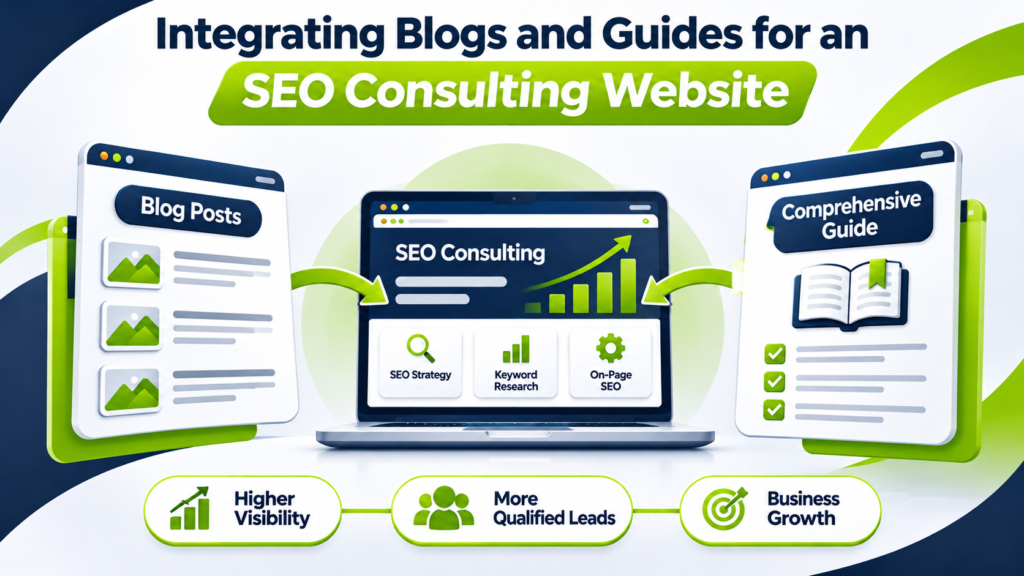
Consider a consulting website that offers SEO strategy, keyword research, on-page optimization, and content services.
The business wants to attract owners and marketing managers who need help improving organic visibility.
Instead of publishing unrelated SEO articles, it develops a central guide:
Main guide: How to Build an SEO Content Strategy for Business Growth
The guide covers research, content planning, publishing, optimization, and measurement.
Supporting articles address specific questions:
| Supporting Article | Role in the Cluster | Relevant Next Step |
| How to Perform Keyword Research | Explain topic discovery | Explore keyword research services |
| How to Create an SEO Content Calendar | Explain publishing workflows | Return to the main strategy guide |
| How to Optimize Blog Posts | Explain on-page improvements | Explore on-page SEO services |
| How to Find Competitor Content Gaps | Explain competitive research | Explore competitor analysis |
| How to Track Content Performance | Explain measurement | Review the full strategy |
Now consider a visitor who searches for help identifying competitor content gaps.
They find the supporting article, learn how to compare topic coverage, and follow a link to the comprehensive content strategy guide.
After reviewing the guide, they may decide they need professional help identifying competitive opportunities.
At that point, a link to SEO competitor analysis is relevant.
The content hasn’t forced the visitor toward a service page. It has provided information at each stage and made the next option easy to find.
That is the difference between publishing individual articles and building a connected content strategy.
How to Choose Between Creating a New Guide and Updating Existing Blog Posts
Not every content gap requires a new article.
Sometimes improving an existing page is more useful than adding another URL.
Use the following decision framework.
| Situation | Recommended Action |
| Several articles cover overlapping topics | Review opportunities to consolidate |
| A broad topic lacks a central resource | Consider creating a comprehensive guide |
| One guide section attracts repeated questions | Create a focused supporting article |
| An existing article is outdated | Update the article |
| A topic has a distinct search intent | Consider a dedicated page |
| Two pages target the same intent | Evaluate differentiation or consolidation |
| A strong article has few relevant internal links | Improve contextual linking |
Before merging or redirecting pages, examine their existing traffic, backlinks, search queries, and conversion value.
A redirect can preserve a useful navigation path when content moves, but the destination should genuinely satisfy the original page’s purpose.
Creating fewer, more purposeful pages can be more effective than maintaining a large collection of overlapping articles.
Common Mistakes When Integrating Blogs and Guides
Publishing a Pillar Guide Without Supporting Articles
A comprehensive guide may provide a strong starting point, but it doesn’t automatically cover every specific question readers search for.
Identify the subtopics that deserve dedicated explanations and create supporting content where it adds value.
Creating Multiple Pages for the Same Search Intent
Publishing separate articles for nearly identical keyword variations can create unnecessary overlap.
Compare the intended audience, search results, and page purpose before assigning separate URLs.
Adding Internal Links Only for SEO
A link that doesn’t help the reader is unlikely to improve the browsing experience.
Avoid placing unrelated links simply because a page contains a matching keyword.
Treating Every Blog Post as a Sales Page
Readers searching for educational answers may not want a sales pitch.
Provide the answer first, then offer a relevant next step that fits the context.
Measuring Publishing Volume Instead of Outcomes
Publishing 20 articles doesn’t necessarily produce better results than publishing five well-planned resources.
Evaluate qualified visibility, content engagement, meaningful conversions, and the performance of related pages.
Forgetting to Update Older Guides
A guide can become less useful when tools, processes, screenshots, or recommendations change.
Schedule reviews based on the topic’s rate of change and the importance of the page.
How Often Should You Update Blogs and Guides?
There is no universal update schedule.
A technical tutorial covering a rapidly changing platform may need frequent reviews. A guide explaining stable foundational concepts may remain accurate much longer.
Prioritize reviews when:
- Search impressions or clicks decline significantly.
- Important information becomes outdated.
- A product, platform, or process changes.
- Readers repeatedly ask questions the page doesn’t answer.
- New supporting articles create useful internal linking opportunities.
- The page no longer matches the search intent it originally targeted.
During an update, check more than the publication date.
Review the accuracy of the content, relevance of examples, heading structure, broken links, search performance, and available next steps.
Updating the date without making meaningful improvements doesn’t make a resource more useful.
A 30-Day Action Plan for Blog and Guide Integration
If your website already has a few published articles, you can begin integrating them without rebuilding the entire content library.
| Timeline | Main Task | Deliverable |
| Days 1–5 | Audit existing blogs and guides | Content inventory with page purposes |
| Days 6–10 | Research keywords and search intent | Topic and keyword map |
| Days 11–15 | Select a pillar topic and supporting articles | Cluster structure |
| Days 16–20 | Create or improve the main guide | Comprehensive resource |
| Days 21–25 | Update supporting articles and internal links | Connected content cluster |
| Days 26–30 | Configure tracking and review the user journey | Performance baseline |
At the end of 30 days, the objective isn’t necessarily to have published a large number of articles.
It’s to have one useful, connected cluster with clear search intent, relevant internal links, and measurable next steps.
You can then apply the same process to additional subjects.
Final Thoughts: Build a Connected Content Library, Not Just More Articles
The most useful content strategy isn’t necessarily the one with the most published pages.
It’s the one that helps readers move from a specific question to a broader understanding and, when appropriate, toward a solution.
Blogs make it possible to address focused questions. Guides connect those answers into a more complete learning experience. Internal links, search-intent planning, and performance measurement bring the two formats together.
Start with one topic your audience genuinely needs help with. Identify the supporting questions, review what you’ve already published, and build a clear path between those resources.
Then measure whether the content is helping readers and supporting your business objectives.
Need help building a content strategy that connects search visibility with qualified enquiries?
Explore Sonia Akter’s SEO strategy services or get in touch to discuss your website’s content opportunities.
Frequently Asked Questions (FAQs)
How do you integrate blogs and guides into a content strategy?
Create a main guide around a core topic, publish supporting blog posts, and connect them with relevant internal links to improve navigation and SEO.
What is the difference between a blog post and a content guide?
A blog post answers a specific question, while a content guide explores a broader topic with detailed explanations and actionable steps.
Should I publish the pillar guide or supporting blog posts first?
Start with the pillar guide if you’re building from scratch. If you already have relevant blog posts, connect them through a comprehensive guide.
How many blog posts should support one guide?
There’s no fixed number. Create as many supporting posts as needed to answer distinct questions without repeating content.
Can blogs and guides target the same keywords?
Yes, they can target related keywords, but each page should address a distinct search intent to avoid unnecessary keyword cannibalization.
How does internal linking help a content strategy?
Internal links connect related content, improve website navigation, and help search engines understand page relationships.
How do I measure the success of an integrated content strategy?
Use Google Search Console and Google Analytics to track organic traffic, engagement, conversions, and content cluster performance.
Do blogs and guides help with AI search visibility?
Well-structured, accurate blogs and guides can support AI search discoverability, but they don’t guarantee inclusion in AI-generated answers.