
Your website is live. Your services are ready. But when potential customers search on Google, they find your competitors instead of you.
Sound familiar?
You may have spent time designing your website, writing service descriptions, and publishing blog posts. Yet your pages barely receive organic traffic, and the enquiries you expected aren’t coming in.
This is where many business owners get frustrated. They know their website exists, but they don’t understand why Google isn’t showing it to the right people.
The good news? You don’t need a secret SEO trick to start improving your visibility.
To rank your website on Google’s first page, you need to target relevant keywords, satisfy search intent, create helpful content, fix technical SEO issues, strengthen internal linking, and build credibility. You also need to measure what’s working and make improvements based on actual search data.
Google doesn’t guarantee first-page rankings, and no legitimate SEO consultant can promise them for every keyword.
However, following a structured SEO strategy can improve your website’s ability to compete for relevant searches.
In this guide, I’ll walk you through the steps that matter, common mistakes worth avoiding, and how to identify realistic opportunities for your business.
What Does It Mean to Rank on Google’s First Page?
Ranking on Google’s first page means your webpage appears among the leading search results for a particular query.
But there’s an important distinction: Your website doesn’t have one universal Google ranking. Different pages rank differently for different search terms.
For example, a home care business might appear prominently when someone searches its exact business name but remains difficult to find for searches such as “in-home care services near me.”
Similarly, an SEO agency might rank for its brand name but struggle to appear for “SEO consultant for small businesses.”
These searches involve different competitors, user intentions, and levels of difficulty.
Search results can also vary according to location, device, language, and the features Google displays.
That’s why getting onto the first page for an irrelevant keyword isn’t particularly useful.
The real goal is to appear for searches that bring people who need your information, products, or services.
How Does Google Decide Which Websites Rank Higher?
Before improving your Google ranking, it helps to understand how Google discovers and evaluates webpages.
The process involves three main stages.
1. Crawling
Google uses automated crawlers, including Googlebot, to discover webpages through links and other discovery methods.
If important pages are difficult to access, Google may struggle to find them.
2. Indexing
After discovering a page, Google may analyze its content and store relevant information in its search index.
A page must generally be indexed to appear in ordinary Google Search results.
However, crawling does not guarantee indexing.
3. Ranking
When someone searches, Google’s automated systems evaluate relevant indexed content and determine which results are most useful for that query.
These systems consider numerous signals rather than relying on one simple SEO score.
You can explore Google’s explanation in the official SEO Starter Guide.
Understanding this process helps you diagnose three very different problems: a page Google cannot discover, a page Google has not indexed, and an indexed page that simply isn’t competitive enough for its target searches.
How to Rank Your Website on Google’s First Page: 10 Practical Steps
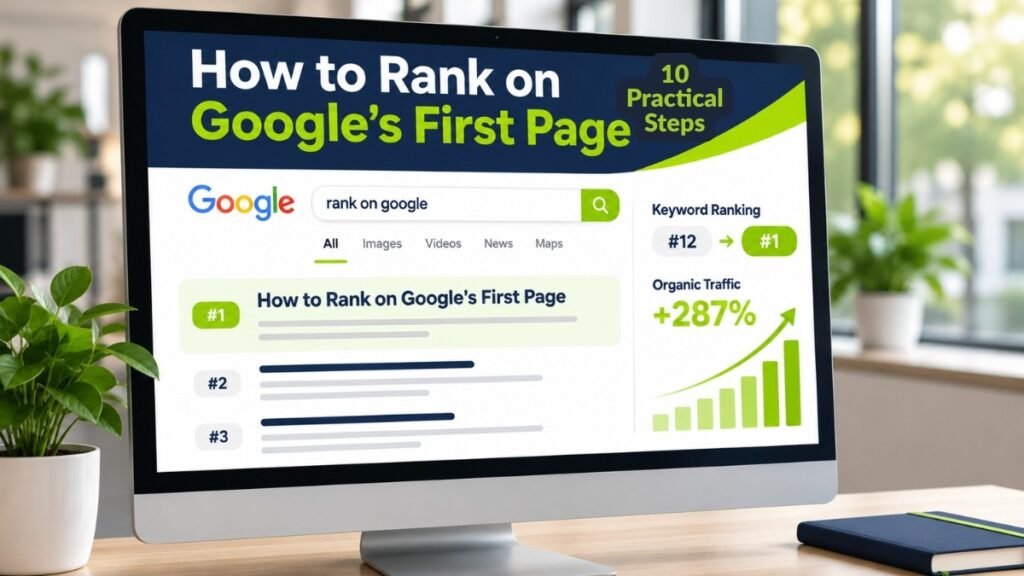
There isn’t one universal formula for ranking first on Google.
However, the following steps provide a practical foundation for improving search visibility, especially for small businesses and websites that have struggled to attract relevant organic traffic.
Step 1: Check Whether Google Can Find and Index Your Website
Before changing keywords or rewriting content, confirm that Google can access your important pages.
A website with indexing problems can struggle to appear in search results regardless of how useful its content is.
Start with Google Search Console.
Open the URL Inspection tool and enter the exact URL you want to evaluate.
Review whether Google has indexed the page and whether any indexing issues have been reported.
Also check:
- Whether the page returns a successful HTTP response.
- Whether it contains an unintended noindex directive.
- Whether robots.txt blocks necessary crawling.
- Whether the canonical URL points to the correct page.
- Whether important pages are included in your XML sitemap.
- Whether internal links help Google discover the page.
You can also search Google using the site:yourdomain.com for a rough discovery check. However, this search operator does not provide a complete inventory of indexed pages.
What should you do if a page isn’t indexed?
First, investigate the reason in the Search Console. Fix the underlying problem and request indexing where appropriate.
Submitting an XML sitemap or requesting indexing can help Google discover changes, but neither guarantees indexing or higher rankings.
If technical issues are preventing your website from performing properly, my technical SEO services focus on identifying and addressing problems affecting crawlability, indexability, and site performance.
Step 2: Find Keywords Your Customers Actually Search For
One of the biggest SEO mistakes is choosing keywords based only on popularity.
A keyword might receive thousands of searches, but that doesn’t mean those searches are relevant to your business.
Imagine you operate a home care agency.
The phrase “healthcare” is broad and highly competitive. It doesn’t clearly describe the specific service your customers need.
A more focused keyword such as “in-home senior care services in [city]” may reflect a much clearer business requirement.
That doesn’t automatically make it easy to rank, but it provides a more specific search intent to evaluate.
How to Find Relevant SEO Keywords
Start with the language your customers use.
Think about their questions, problems, and the services they compare before making a decision.
Then use tools such as Google Search Console, Google Keyword Planner, Ahrefs, or Semrush to investigate relevant searches.
Evaluate each keyword using four questions:
- Is this keyword relevant to my business?
- What does the person searching actually want?
- What types of pages already rank for it?
- Can I create a genuinely useful page that serves this search better?
Here’s an example of keyword mapping for a home care business.
| Keyword | Search Intent | Recommended Page |
| What is in-home care? | Informational | Blog or guide |
| Home care vs nursing home | Comparison | Comparison article |
| Senior home care services in [city] | Local/commercial | Local service page |
| How much does home care cost? | Informational/commercial | Detailed cost guide |
| Private home care agency in [city] | Commercial | Relevant service or location page |
The objective is to match the right keyword with the right page.
For a more structured approach, explore my keyword research services, where I focus on search intent, competitor opportunities, and keyword mapping.
Step 3: Understand Search Intent Before Creating Content
Even a technically optimized page can struggle if it doesn’t provide the answer users are looking for.
Search intent is the reason behind a search.
For example, someone searching “what is technical SEO” probably wants an explanation.
Someone searching “technical SEO consultant” may be evaluating professional services.
Those two queries should not necessarily lead to identical content.
Four Common Search Intent Types
| Intent | What the User Wants | Suitable Content |
| Informational | Learn or solve a problem | Blog post, tutorial, guide |
| Navigational | Find a particular website | Brand or destination page |
| Commercial | Compare providers or options | Service page, comparison page |
| Transactional | Complete an action | Product, booking, or conversion page |
How do you identify search intent?
Search for your target keyword and examine the leading results.
Are they blog posts, product pages, service pages, tutorials, or comparison articles?
Look at what questions those pages answer and what important information they may be missing.
Don’t copy their content. Use the results to understand audience expectations, then build something more helpful.
A page targeting the right words but answering the wrong question may have difficulty competing.
Step 4: Create Helpful Content That Deserves to Rank
Google’s ranking systems aim to surface relevant, useful information.
Simply publishing a long article or repeating your target keyword isn’t enough.
Your content needs to solve the problem that brought the visitor to your website.
Let’s say you’re writing about improving local SEO.
A basic article might explain what local SEO means and list a few benefits.
A more useful article could walk readers through auditing their business information, reviewing their Google Business Profile, identifying relevant local keywords, and measuring results.
The second approach provides practical value rather than repeating general definitions.
What Makes SEO Content Helpful?
Answer the main question early. Don’t make readers scroll through several paragraphs before finding the information they came for.
Explain the process clearly. Use straightforward language, logical headings, examples, and short paragraphs.
Add something original. Include first-hand observations, verified examples, practical checklists, or insights from relevant experience.
Support important claims. Reference credible sources when discussing technical guidance, research, or industry practices.
Keep information accurate. Update instructions when tools or recommendations change.
Avoid unnecessary length. A 900-word page that answers a specific question can be more useful than a 3,000-word article full of repetition.
Content quality matters more than reaching an arbitrary word count.
Step 5: Optimize Your Titles, Headings, URLs, and Internal Links
On-page SEO helps readers and search engines understand what each webpage is about.
Start with a clear, descriptive title.
For example:
Weak title: “Our Best Marketing Solutions”
Better title: “Local SEO Services for Small Businesses“
The second title communicates the service more clearly.
Apply the same principle to your page headings.
A useful heading structure might look like this:
H1: How to Improve Local SEO for Small Businesses
H2: What Is Local SEO?
H2: How to Optimize Your Google Business Profile
H2: Local SEO Mistakes to Avoid
H2: How to Measure Local SEO Results
Use descriptive URLs, compelling meta descriptions, and image alt text that accurately describes meaningful images.
However, don’t assume a specific keyword density or number of headings will automatically improve your ranking.
Build a Logical Internal Linking Structure
Internal links connect related pages within your website.
For example, a blog about improving search rankings could link to a detailed keyword research guide, a technical SEO resource, and a relevant SEO service page.
These links help visitors continue their research and make related content easier to discover.
Use descriptive anchor text instead of repeating “click here.”
If you want to improve how your pages communicate their relevance, my on-page SEO services cover content structure, keyword optimization, and internal linking.
Step 6: Fix Technical SEO Problems That Limit Visibility
A website can have excellent content and still face technical barriers.
Some issues prevent search engines from accessing important pages. Others create unnecessary friction for visitors.
Pay attention to the following areas.
Mobile Usability
Your website should be easy to navigate and read on mobile devices.
Check whether text is readable, buttons are usable, and important content remains accessible on smaller screens.
Website Speed
Slow pages can frustrate visitors and make browsing more difficult.
Review performance using PageSpeed Insights and real-user data where available.
Core Web Vitals provide useful indicators of loading performance, responsiveness, and visual stability.
Broken Pages and Redirects
Fix broken internal links and review outdated redirects.
If a page has permanently moved, use an appropriate redirect when a relevant replacement exists.
Avoid sending unrelated URLs to your homepage simply to remove errors.
HTTPS and Website Security
Use HTTPS and ensure your website works reliably without unnecessary security warnings.
Duplicate and Canonical URLs
Review duplicate or near-duplicate URLs.
Use canonical tags appropriately when multiple URLs contain substantially similar content.
Technical SEO doesn’t require chasing a perfect audit score.
Focus first on issues that actually affect access, indexing, usability, or important business pages.
Step 7: Build Website Credibility With Relevant Links and Mentions
Backlinks are links from other websites to yours.
Relevant, editorially earned links can help search engines discover content and may contribute to how webpages are evaluated.
However, not all backlinks provide the same value.
A relevant mention from a respected industry resource is generally more meaningful than dozens of unrelated links created solely to manipulate rankings.
How Can You Earn Better Backlinks?
Publish resources that other websites genuinely find useful.
This might include original research, useful comparison guides, practical checklists, expert commentary, or industry-specific educational content.
You can also contribute relevant expertise to legitimate publications and maintain accurate business listings where appropriate.
Avoid buying links for ranking manipulation, automated link schemes, and low-quality link networks.
A sustainable strategy focuses on earning relevant recognition rather than accumulating links without considering quality.
Step 8: Improve Local SEO If Your Business Serves a Specific Area
If your business serves customers in a city or geographic area, local SEO deserves special attention.
Someone searching for “home care services near me” may see different results from someone searching for the same service in another city.
Google can consider location and other contextual factors when presenting relevant results.
Start by checking whether your business is eligible for a Google Business Profile.
If it is, make sure the profile accurately represents your business.
Review the business name, categories, service information, contact details, operating hours, and relevant photos.
Keep your website’s location and service information consistent with your actual operations.
For businesses serving multiple areas, create location pages only when they provide genuine, useful information about those services.
Avoid generating dozens of nearly identical city pages just to target different keywords.
Also remember that appearing in Google Maps or a local pack is not the same as ranking in standard organic search results.
A local SEO strategy may need to address both.
Step 9: Improve User Experience and Conversion Opportunities
A first-page ranking is valuable only when it helps you reach the right audience.
Imagine two websites.
Website A receives 2,000 organic visits, but visitors struggle to understand its services or contact the business.
Website B receives 500 relevant visits, clearly explains its services, and makes it easy for potential customers to enquire.
Website B may generate better business results despite attracting fewer visitors.
These numbers are hypothetical, but the distinction matters.
SEO should support meaningful outcomes, not rankings alone.
Make Your Website Easier to Use
- Explain what your business offers without confusing terminology.
- Make navigation straightforward.
- Show relevant contact information.
- Use readable layouts and helpful images.
- Ensure forms and buttons work properly.
- Place relevant calls to action where visitors need them.
For service businesses, a useful CTA could be “Request an SEO Audit” or “Discuss Your Website’s SEO.”
A visitor reading an informational article may prefer to explore related resources before contacting you.
Give people that option.
Step 10: Track Your Google Rankings and Keep Improving
SEO isn’t finished when you publish or optimize a page.
You need to monitor how it performs and investigate the reasons behind changes.
Google Search Console is a useful starting point.
Review which queries generate impressions and clicks, which pages attract organic traffic, and whether important URLs are indexed.
You can also connect analytics data to understand whether search visitors explore your services or submit enquiries.
Which SEO Metrics Should You Track?
| SEO Metric | Why It Matters |
| Search impressions | Shows how often your pages appear in search results |
| Organic clicks | Measures visits generated from Google Search |
| Average position | Provides a broad view of ranking performance |
| Organic CTR | Helps identify opportunities to improve search-result appeal |
| Indexed pages | Helps identify potential search visibility issues |
| Organic conversions | Shows whether search traffic supports business actions |
| Qualified enquiries | Helps connect SEO performance to customer relevance |
Don’t judge your entire website using one keyword’s ranking.
A page can improve for several relevant queries even if its position for one highly competitive keyword remains unchanged.
Likewise, a rise in average position doesn’t always mean your website is attracting more valuable visitors.
Look for patterns across visibility, traffic, engagement, and business outcomes.
Why Is Your Website Not Ranking on Google’s First Page?
When a website struggles to rank, the problem is not always obvious.
Rather than changing everything at once, look for evidence of where the process is failing.
| Problem | Possible Reason | What to Check |
| Website doesn’t appear on Google | Crawling or indexing issue | Search Console and URL Inspection |
| Page is indexed but gets no impressions | Limited search demand or relevance | Keyword targeting and page topic |
| Many impressions but few clicks | Weak search-result appeal or SERP competition | Title, snippet, query and SERP layout |
| Rankings remain low | Content mismatch, competition, or quality issues | Search intent, competitors and content gaps |
| Traffic arrives but leads are low | Wrong audience or weak conversion path | Query intent, service relevance and CTAs |
| Rankings drop suddenly | Technical changes, competition or search updates | Search Console, site changes and affected pages |
Avoid assuming every traffic decline is caused by a Google algorithm update.
A lost ranking might result from a technical change, a competing page becoming more relevant, seasonality, or shifting search demand.
Identify what changed before deciding how to fix it.
How Long Does It Take to Rank on Google’s First Page?
There is no guaranteed timeline for reaching Google’s first page.
Some pages can begin appearing for specific searches quickly. Others may need substantial improvements and time before gaining meaningful visibility.
Competitive keywords may require a longer-term approach involving stronger content, technical improvements, relevant links, and an established website presence.
For a small business, a sensible starting point is to focus on achievable, relevant searches rather than expecting immediate results for broad, competitive keywords.
Check early indicators such as indexing, search impressions, relevant queries, and organic clicks before concluding whether your strategy is working.
Be cautious of anyone promising first-page rankings within 24 hours, seven days, or another fixed period.
SEO outcomes depend on the search query, website, competition, and many factors outside an SEO consultant’s control.
A Practical 30-Day SEO Action Plan for Small Businesses
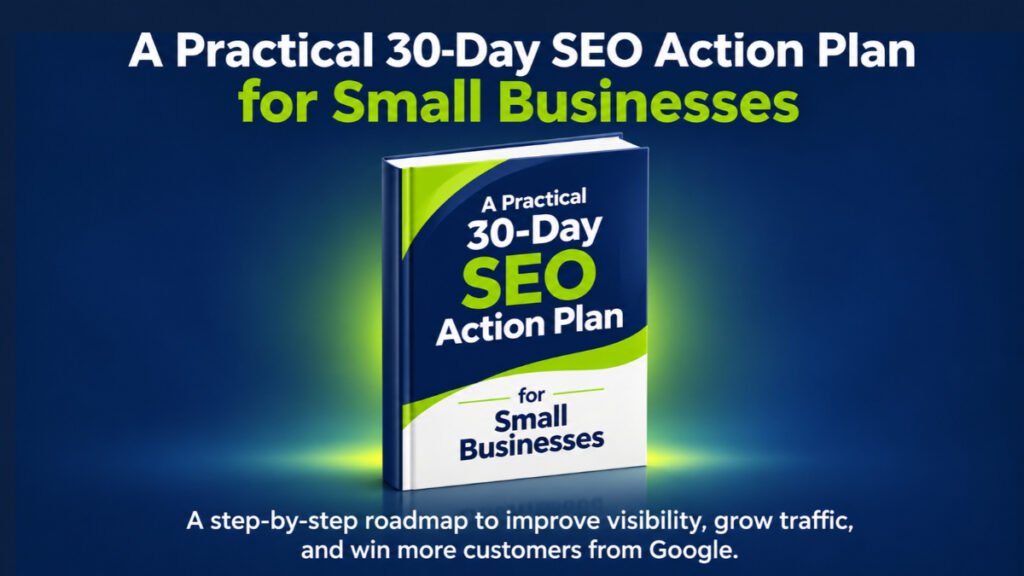
If you’re unsure where to start, use the first month to build a foundation and identify realistic ranking opportunities.
This is an implementation schedule, not a promise of ranking results within 30 days.
| Timeline | Main Focus | Practical Actions |
| Days 1–7 | Website SEO audit | Check indexing, technical issues, Search Console and important pages |
| Days 8–14 | Keyword research | Identify relevant queries, search intent and competitor content gaps |
| Days 15–21 | On-page optimization | Improve priority service pages, titles, headings, content and internal links |
| Days 22–30 | Content and measurement | Publish or improve useful content, review performance and establish tracking |
What Should You Prioritize First?
If your website has indexing problems, fix those before creating more content.
If your pages are indexed but target irrelevant searches, prioritize keyword research and search intent.
If your content receives impressions but attracts few visitors, investigate the queries, titles, snippets, and competing search results.
If your website generates relevant traffic but few enquiries, review the conversion experience.
This approach makes SEO more manageable and helps you focus resources where they may have the greatest impact.
Common SEO Mistakes That Can Hold Your Website Back
Many businesses spend time on SEO activities that don’t address their actual ranking problems.
Here are several mistakes worth avoiding.
Targeting only highly competitive keywords: A small website may struggle against well-established competitors when it ignores more specific search opportunities.
Keyword stuffing: Repeating the same phrase unnaturally can harm readability and does not create a better answer.
Publishing content without a strategy: A collection of unrelated blog posts may attract visitors who have little interest in your services.
Ignoring technical SEO: Important pages may remain difficult to crawl or index.
Buying manipulative backlinks: Links designed to manipulate rankings can violate Google’s spam policies.
Creating duplicate location pages: Near-identical pages targeting multiple cities can result in poor user experiences and may create doorway-page concerns.
Expecting immediate results: Sustainable SEO requires monitoring and iterative improvement.
Measuring rankings without conversions: Visibility matters, but relevant enquiries and business outcomes provide important additional context.
A successful SEO strategy starts by identifying what is actually holding your website back.
Final Thoughts: First-Page Rankings Start With the Right SEO Priorities
Getting your website onto Google’s first page isn’t about finding a shortcut.
It’s about understanding what your potential customers search for, making your website accessible to search engines, and creating information that genuinely helps people.
Start with the fundamentals.
Check your indexing. Research relevant keywords. Improve important pages. Fix technical problems. Connect related content and measure whether your visitors are taking meaningful actions.
You don’t need to fix everything overnight.
You need to identify the biggest barriers to your website’s visibility and address them in the right order.
Because the goal isn’t simply to appear on Google’s first page.
It’s to be visible when the right customer is looking for a solution your business provides.
Want to Know What’s Stopping Your Website From Ranking Higher?
I’m Sonia Akter, an SEO Consultant & AI Visibility Specialist.
I help businesses identify website SEO problems, improve search relevance, strengthen their content strategy, and build better visibility across Google Search and AI-powered search experiences.
If your website isn’t attracting the organic traffic or qualified enquiries you expected, the first step is understanding what’s limiting its performance.
Through a structured SEO audit, I can help you identify technical issues, content gaps, and opportunities worth prioritizing.
Ready to understand your website’s SEO opportunities?
Contact Me to Discuss Your Website’s SEO
Frequently Asked Questions About Google First-Page Rankings
How can I rank my website on Google’s first page?
Research relevant keywords, match search intent, create helpful content, improve on-page and technical SEO, build quality links, and monitor performance.
Can a new website rank on Google’s first page?
Yes. New websites can rank for relevant queries, but results depend on competition, content quality, indexing, and other ranking signals.
How long does SEO take to rank on Google?
SEO changes can affect visibility within hours or take several months. First-page rankings have no guaranteed timeline.
Can I rank my website on Google for free?
Yes. Google doesn’t charge for organic rankings. You can use free tools such as Google Search Console to monitor and improve your website.
Why is my website indexed but not ranking?
Your content may not sufficiently match search intent, satisfy user needs, or compete with other relevant pages. Review keywords, quality, and competition.
Does website speed affect Google rankings?
Core Web Vitals contribute to Google’s ranking systems, but a fast website alone doesn’t guarantee higher rankings.
Do backlinks help websites rank higher?
Relevant, naturally earned backlinks can support search visibility. Buying manipulative links or participating in link schemes may harm performance.
How can small businesses improve Google rankings?
Start with technical SEO, local search opportunities, relevant service keywords, helpful content, internal linking, and consistent performance monitoring.